HTML to Markdown
Clean Copies for AI Agents
Paste a page or fetch a URL and get tidy Markdown. Keeps headings, links, lists, tables and code, drops navigation and scripts, adds optional front matter, and suggests the .md file name llms.txt v2 expects. 100% client-side. Zero data stored.
HTML to Markdown Converter
HTML source
The raw HTML is fetched through the RJL.io proxy. No JavaScript runs, so you see what a crawler that skips JavaScript gets.
Markdown
- Characters
- 0
- Words
- 0
- Tokens (estimate)
- 0
- Links / images
- 0 / 0
Tokens are an estimate: characters divided by four. A real model counts with its own tokenizer, so the true number differs.
Where to publish it (llms.txt v2 naming)
Enter the page URL above to see the full path to serve it from.
What People Use It For
Markdown copies for AI agents
Make a page.html.md or page.md next to a page, the naming llms.txt v2 describes, so an agent can read the content without the menus and scripts.
Feed a page to a chatbot
Paste a long article into an assistant as Markdown. It costs fewer tokens than raw HTML and keeps the headings, lists and tables the model needs.
Move docs into a repo
Turn an old help page or wiki entry into a README or a static-site content file, with the links already absolute.
See what a crawler reads
Fetch your own page and read the result. If your main content is missing, a crawler that does not run JavaScript is missing it too.
Archive and notes
Save an article as plain text with a front matter block holding its title, address and date, ready for a notes app.
Tables to GitHub tables
Paste an HTML table and get a pipe table that renders on GitHub, in a pull request or in a chat window.
What Converts, and How
| HTML | Markdown |
|---|---|
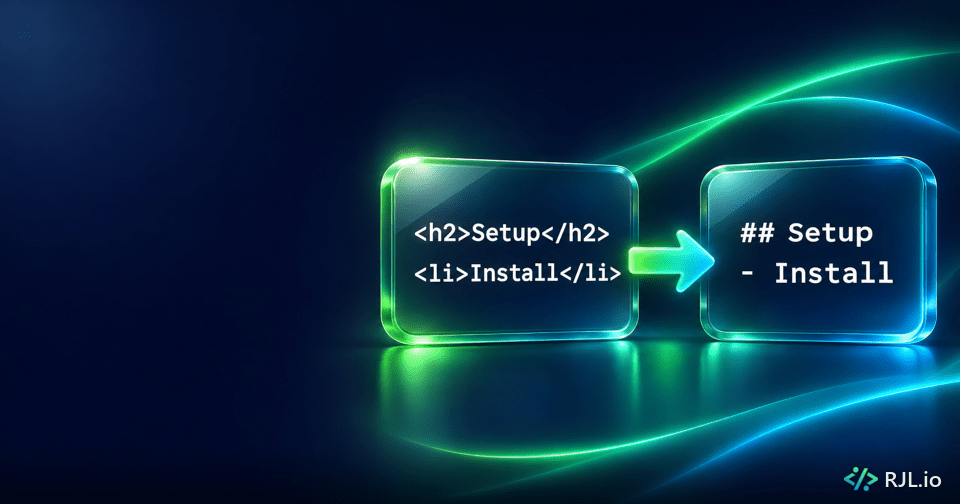
<h1> to <h6> | # to ###### |
<strong>, <em>, <del>, <code> | **bold**, *italic*, ~~strike~~, `code` |
<a href>, <img> | [text](url) and , with the address made absolute from the page URL |
<ul>, <ol>, nested lists | - and 1. items, indented under their parent; checkboxes become [ ] and [x] |
<table> | A GitHub-flavored pipe table; the first row is the header and | inside a cell is escaped |
<pre><code class="language-js"> | A fenced block with the language name |
<blockquote>, <hr>, <br> | > quotes, ---, and a hard line break |
<script>, <style>, <iframe>, <svg>, forms, buttons, hidden elements | Left out |
Main content only
Looks for <main>, then a single <article>, then common content containers, and removes navigation, page-level headers and footers, sidebars and forms. A page with several articles is converted whole, minus that chrome.
File names
llms.txt v2 puts a page's Markdown copy at the same URL with .md appended (/docs/page.html.md) or the extension replaced (/docs/page.md). A URL with no file name uses index.html.md or index.md. Spec: llmstxt.org.
Point the page at its copy
Add <link rel="alternate" type="text/markdown" href="/docs/page.html.md"> to the page head, or build the tag and the matching Link header with the llms.txt Generator.
Token estimate
Characters divided by four, rounded up. It is a rule of thumb for English text, not a tokenizer, so code, other languages and emoji can differ a lot.
No JavaScript
The converter reads the HTML you give it and runs nothing in it. A page that builds its content in the browser comes out nearly empty; copy the rendered HTML from your browser's inspector instead.
Safe by design
The HTML is parsed into an inert document: scripts do not run, images do not load, and only text comes out. Pasted HTML never leaves your browser.
Frequently Asked Questions
A page's HTML carries menus, scripts, styling hooks and footers around a small amount of real content. A Markdown copy keeps only the headings, text, links, lists and tables, so an agent spends fewer tokens and has less to sort through. The llms.txt proposal describes this practice and gives the file names to use.
No. Google's guidance on AI features in Search says you do not need to create new machine readable files, AI text files or markup to appear in AI Overviews or AI Mode. Markdown copies are for other readers, such as AI agents and assistants that fetch pages, and no one promises they change any ranking.
llms.txt version 2 allows two forms. Append .md to the page address, so /docs/page.html becomes /docs/page.html.md, or replace the extension, so it becomes /docs/page.md. A URL with no file name, such as /docs/, uses index.html.md or index.md. The tool shows the exact path once you enter the page URL.
The converter only sees the HTML the server sends. Pages that build their content with JavaScript, such as many React, Vue and Angular apps, send an empty shell, and a crawler that does not run JavaScript sees the same empty shell. Open the page in your browser, copy the rendered HTML from the inspector and paste it here, then consider rendering the page on the server so crawlers get the content too.
It converts the main element if the page has one, otherwise a single article, otherwise a common content container, and removes navigation, sidebars, forms and the page-level header and footer. If none of those is found it converts the whole body without that chrome and tells you so. Turn the option off to convert everything.
When you give a page URL, or fetch one, every relative address is turned into a full address, because a Markdown file moved elsewhere would break relative links. A base element in the HTML is honored. Without a page URL, relative addresses are left as written. Images embedded as data addresses are dropped, since they would bloat the file.
It is a rough estimate: the number of characters divided by four. That fits ordinary English prose. Each model has its own tokenizer, and code, numbers, other languages and emoji usually need more tokens per character, so use the figure to compare the HTML with the Markdown rather than as an exact bill.
Some sites refuse automated requests, need a login, answer slowly or serve pages larger than the proxy accepts. When that happens, open the page in your browser, use View Source or the inspector, copy the HTML and paste it into the box. The conversion works the same way.
Pasted HTML and opened files are converted in your browser and never uploaded, logged or saved. Only the Fetch button sends anything: the address you typed goes to the RJL.io proxy so it can download that page for you.
Why We Built This HTML to Markdown Converter
AI assistants and answer engines read the web through pages that were built for browsers. A typical page wraps a few hundred words in thousands of characters of markup, menus, tracking code and cookie banners. Markdown strips that away and keeps the structure a reader needs: headings, paragraphs, links, lists, tables and code. Offering a Markdown copy next to a page is one way to make your content cheaper and easier for an agent to read, and the llms.txt proposal gives the file names to use.
We also want to be straight about it. Google says its AI features need no special files, and nobody can promise that a Markdown copy changes how an assistant treats your site. What the converter does give you is certainty about what a no-JavaScript reader gets from a page: if the text is missing from the output, it is missing from the HTML. It reads the markup in an inert parser, so nothing in a pasted page runs, and your HTML stays in your browser unless you press Fetch.
The HTML to Markdown converter is part of RJL.io's collection of free developer tools. Describe the Markdown copies in an index with the llms.txt Generator, decide which AI crawlers may read your site with the robots.txt Generator, audit a page with the SEO Analyzer, or preview the result in the Markdown Viewer.