Text to PDF
Plain Text and Markdown to PDF
Free online text and Markdown to PDF converter. Paste, type, or drop a file, customize formatting (page numbers, headers, footers, watermark, title page, table of contents), preview live, then download. 100% client-side processing - your text never leaves your browser.
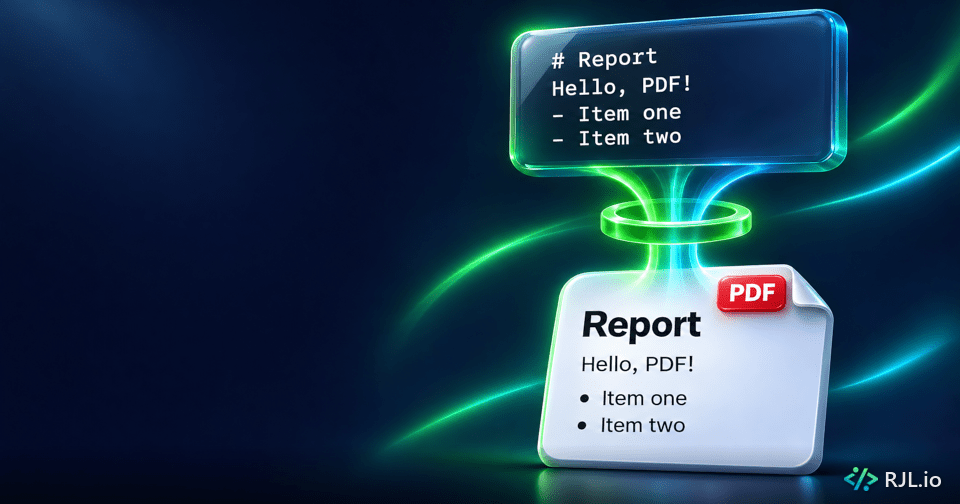
Text to PDF Converter Tool
0 characters, 0 words, 0 lines
PDF Options
Page Layout
Custom margins (pt, leave blank to use preset)
Typography
Header, Footer & Watermark
Title Page & Table of Contents
PDF Metadata (optional)
Defaults to RJL.io. Last value is remembered for next time.
Non-editable PDF metadata (always set):
- Creator
RJL.io PDF Tools (https://rjl.io)- Producer
RJL.io PDF Tools © 2026 (https://rjl.io)- Keywords
- Always includes
RJL.io
.pdf extension will be added automatically
Enter text to get started
Processing...
Privacy First: All processing happens in your browser. Your text is never uploaded to any server. Drafts auto-save to your browser's local storage (not the cloud).
Common Use Cases
Documents & Reports
Convert notes, reports, or drafts into professional PDFs - with page numbers, headers/footers, watermarks, and an optional title page.
Code Snippets
Paste Markdown with fenced code blocks. Get syntax-highlighted output with optional line numbers - great for code reviews and docs.
Creative Writing
Manuscripts and stories with **bold**, *italic*, headings, and a generated table of contents from your Markdown headings.
Formatting Options
Page Sizes
A3, A4, A5, Letter, Legal, Tabloid, Half Letter
Markdown
Headings, bold, italic, code, lists, quotes
Typography
8-24pt, color, alignment, line spacing
Chrome
Page numbers, header/footer, watermark, TOC
How Text Becomes a PDF
How it works
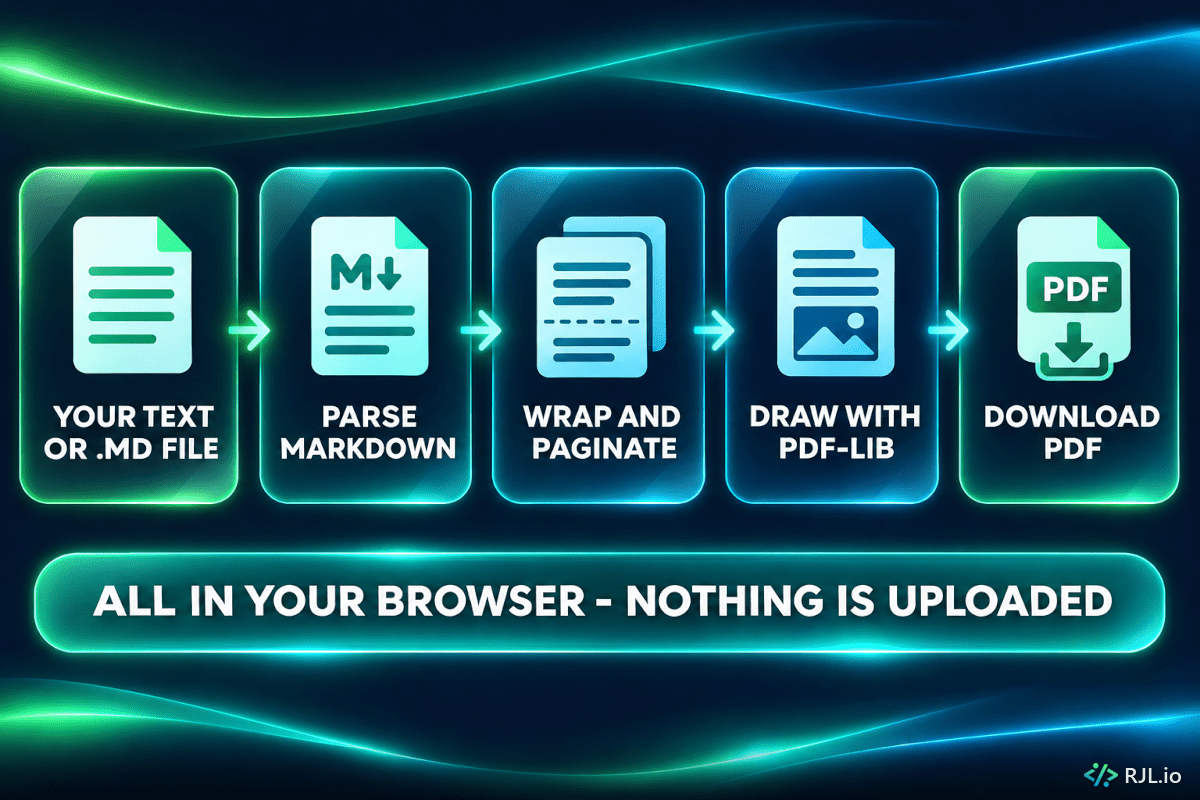
- Input. Type, paste, or drop one or more
.txtor.mdfiles. In Plain Text mode every line is kept as you wrote it. - Parse. In Markdown mode the text is parsed into headings, paragraphs, lists, quotes and code blocks.
- Wrap and paginate. Lines are measured with the chosen font and size, wrapped to the text area, and split across pages using your line spacing and margins.
- Draw. The pdf-lib library places each line on a page, then adds page numbers, header, footer, watermark and the standard document metadata.
- Download. The finished file is built in memory and saved from your browser. Use Preview first to check the page breaks.
The PDF uses the three built-in PDF fonts (Helvetica, Times Roman, Courier). They are always available in any PDF viewer, which keeps files small, but they only cover Western European characters. Symbols such as arrows and check marks are swapped for plain ASCII look-alikes (for example ->) so the conversion never fails.
Page size and margins
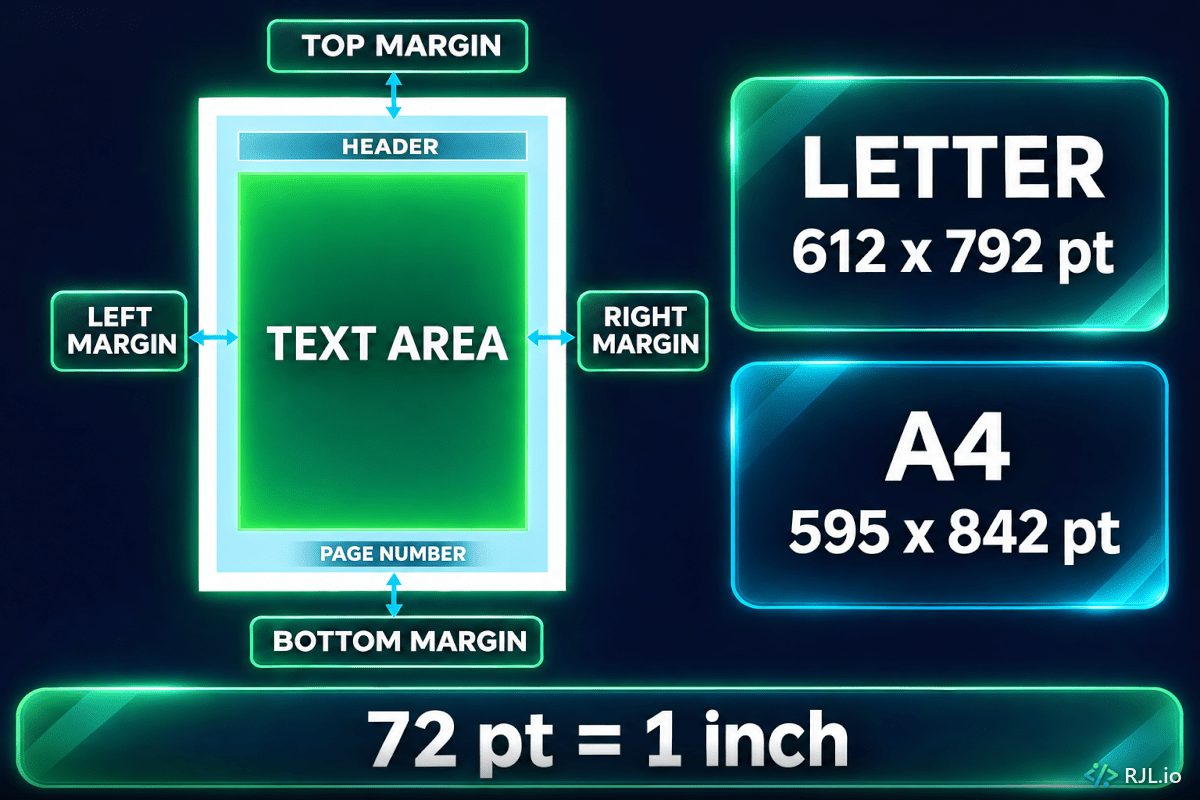
PDF measures everything in points: 72 points equal one inch. A page is a fixed rectangle, the margins are blank bands on each side, and the text area is what remains. A bigger margin or font means fewer lines per page and more pages.
| Size | Dimensions | Points (portrait) |
|---|---|---|
| US Letter | 8.5 x 11 in | 612 x 792 |
| US Legal | 8.5 x 14 in | 612 x 1008 |
| Tabloid | 11 x 17 in | 792 x 1224 |
| Half Letter | 5.5 x 8.5 in | 396 x 612 |
| A3 | 297 x 420 mm | 841.89 x 1190.55 |
| A4 | 210 x 297 mm | 595.28 x 841.89 |
| A5 | 148 x 210 mm | 419.53 x 595.28 |
Margin presets: Narrow is 36 pt (0.5 in), Normal is 54 pt (0.75 in), Wide is 72 pt (1 in). Open Custom margins to set top, right, bottom and left separately. Landscape swaps width and height.
What Markdown mode renders
Switch Render Mode to Markdown and the page turns familiar syntax into formatted PDF text. A .md file switches the mode for you.
| You type | PDF result |
|---|---|
# Title to #### Small | Headings H1 to H4, largest first |
**bold** and *italic* | Bold and italic text |
`code` | Monospace inline code |
| Fenced block with a language name | Syntax-highlighted code block |
- item or 1. item | Bulleted or numbered list |
> quote | Block quote |
--- | Horizontal rule |
[text](https://example.com) | Link |
Common problems and fixes
| Problem | Cause | Fix |
|---|---|---|
The PDF shows # and ** literally | Render Mode is Plain Text | Switch Render Mode to Markdown |
An arrow or check mark became -> or v | Built-in PDF fonts cover Western European characters only | Expected: it is replaced with an ASCII look-alike. Emoji and non-Latin scripts are not supported |
| Lines wrap differently from the editor | Wrapping follows the page width, margins and font size | Use a Narrow margin, a smaller font, or Landscape |
| Too many pages | Large font, double spacing or wide margins | Try 11 pt, 1.15 spacing and a Narrow margin |
| Printed page is cut off or scaled | Page size does not match the paper (Letter vs A4) | Pick the size you will print on |
Frequently Asked Questions
Yes. Switch Render Mode to Markdown and the tool will render H1-H4 headings, bold, italic, inline code, fenced code blocks (with syntax highlighting), unordered and ordered lists, blockquotes, horizontal rules, and links. Drop a .md file and the mode switches automatically.
Yes - open the Header, Footer & Watermark section. Page numbers support four formats (1, 1/N, Page 1, Page 1 of N) and two positions. Header text appears at the top of every page; footer text and the page number can both appear at the bottom. Watermark text is rotated and rendered at adjustable opacity across every page.
A3, A4, A5, US Letter, US Legal, Tabloid (11x17), and Half Letter (5.5x8.5). Each supports portrait or landscape orientation. You can also override the preset margin with custom top/right/bottom/left values in PDF points (72 pt = 1 inch).
No. All processing - including Markdown parsing and syntax highlighting - happens entirely in your browser. Your text never leaves your device. Draft autosave uses your browser's local storage, not the cloud, and is cleared if you click Discard.
Yes. Fill in PDF Title and Author in the metadata section, then check Insert title page. For the table of contents, switch to Markdown mode and check Insert table of contents - the tool will collect every H1 and H2 heading and generate a TOC page with rendered page numbers.
Yes - Load File(s) accepts multiple .txt, .md, and .markdown files and concatenates their content into the text area. You can also drag-and-drop files directly onto the text area.
Ctrl + Enter (or Cmd + Enter on Mac) inside the text area triggers the Create PDF action. The Paste button uses your browser's clipboard API.
Why We Built This Tool
Converting text to PDF is often needed for sharing notes, archiving documents, or creating printable versions of plain text and Markdown files. Many online converters require uploading your content to their servers, which isn't ideal for sensitive information.
Our tool processes everything in your browser using the pdf-lib library, marked Markdown parser, and highlight.js syntax highlighter. Your text never leaves your device, making it safe to convert confidential content. Plus, it works offline once the page is loaded.