Cron Expression Generator
Visual Cron Builder
Build cron schedules visually. Generate human-readable descriptions and preview next execution times. 100% client-side. Zero data stored.
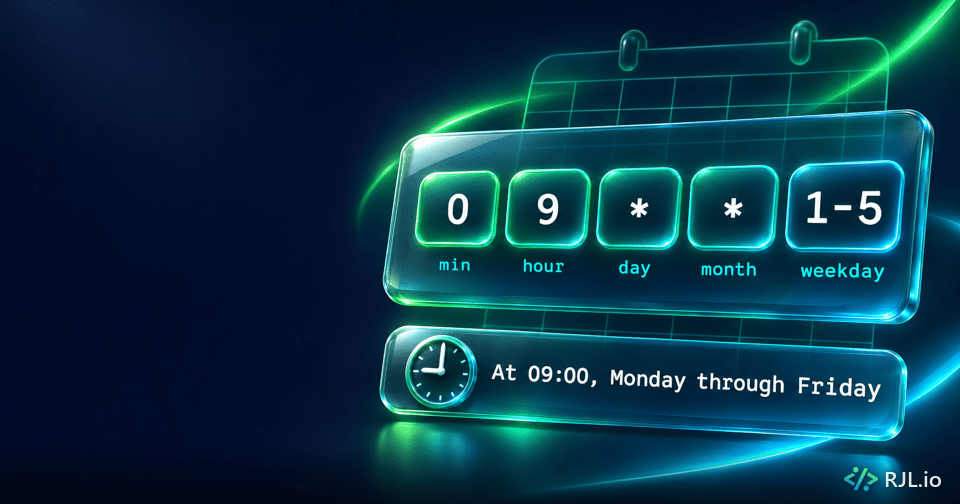
Cron Expression Generator Tool
Visual Builder
0-59
0-59
0-23
1-31
1-12 or JAN-DEC
0-6 or SUN-SAT
1970-2199 or *
Cron Syntax
* Any value1,3,5 List1-5 Range*/5 Every 5thQuick Actions
Generated Expression
0 0 * * * Description
At 12:00 AM
Copies: */5 * * * * /path/to/command
Ready to paste into your crontab file - just replace the path
Next Executions
Parse Expression
Enter a cron expression to parse and validate it.
Presets
Quick Reference
Field Order (5 fields)
minute hour day month weekday Field Order (6 fields)
second minute hour day month weekday Special Characters
*- Every value,- Multiple values-- Range of values/- Step values
Day of Week
0 = Sunday, 1 = Monday, ..., 6 = Saturday
Also accepts: SUN, MON, TUE, WED, THU, FRI, SAT
Month Names
1 = January, 2 = February, ..., 12 = December
Also accepts: JAN, FEB, MAR, APR, MAY, JUN, JUL, AUG, SEP, OCT, NOV, DEC
Privacy First
All parsing and generation happens locally in your browser. No data is sent to any server.
Common Use Cases
Database Backups
Schedule daily backups at 2 AM when server load is lowest. Use "0 2 * * *" for reliable nightly database snapshots.
Report Generation
Generate weekly analytics reports every Monday morning. Use "0 9 * * 1" to deliver fresh insights at the start of each week.
Cache Cleanup
Clear temporary files every hour to prevent storage bloat. Use "0 * * * *" for automatic hourly cleanup.
Email Reminders
Send reminder emails every weekday at 8 AM. Use "0 8 * * 1-5" to automate daily notifications during business days.
Data Synchronization
Sync data between systems every 15 minutes. Use "*/15 * * * *" for frequent, reliable data replication.
Health Checks
Monitor server health every 5 minutes. Use "*/5 * * * *" to catch issues quickly and maintain uptime.
Cron Expression Reference
Everything you need to read, write and debug a schedule, in one place. Build the expression in the generator above, then use this page to check the details.
The five fields of a cron expression
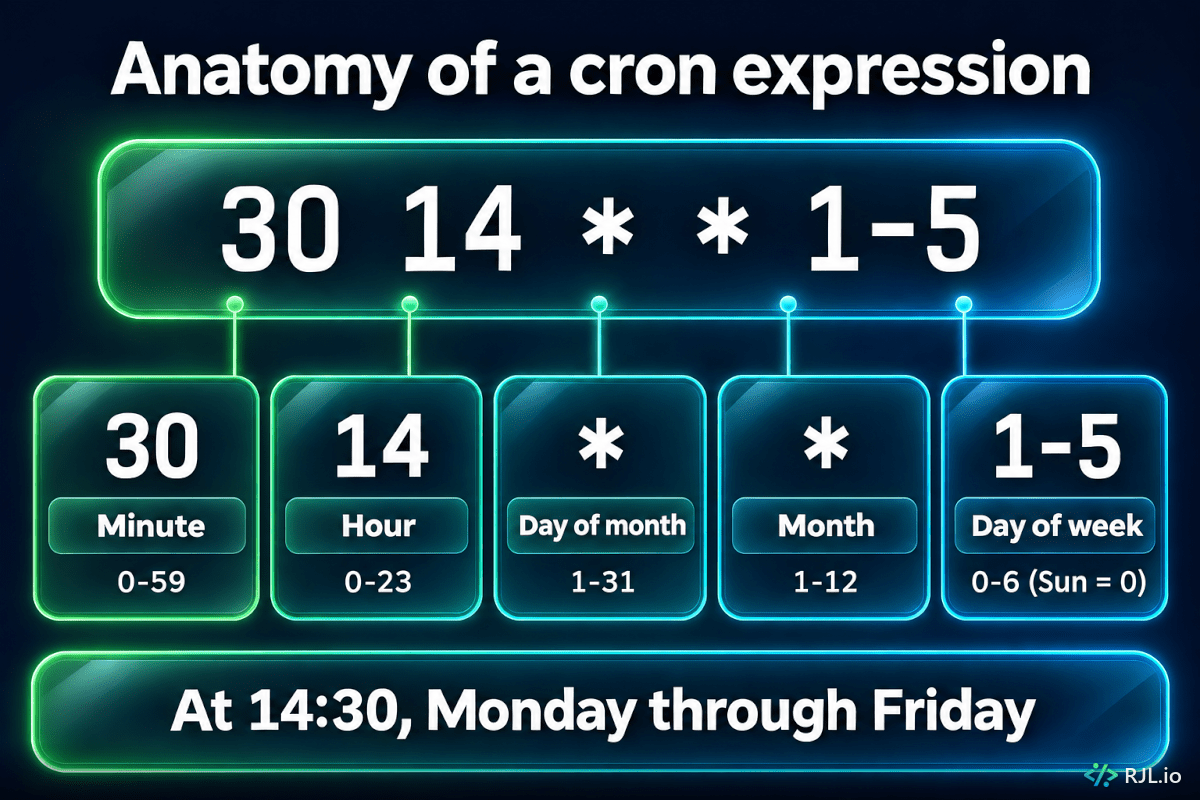
A standard cron expression is five values separated by spaces. The scheduler runs the job whenever the current time matches every field. Read it left to right, from the smallest unit of time to the largest.
| Position | Field | Allowed values | Names |
|---|---|---|---|
| 1 | Minute | 0-59 | - |
| 2 | Hour | 0-23 | - |
| 3 | Day of month | 1-31 | - |
| 4 | Month | 1-12 | JAN-DEC |
| 5 | Day of week | 0-6 (Sunday = 0) | SUN-SAT |
Most Linux crons also accept 7 for Sunday. Quartz and AWS EventBridge add fields and number the week differently - see the platform table below.
Special characters
| Character | Meaning | Example | Where |
|---|---|---|---|
* | Every value in the field | * * * * * runs every minute | All |
, | List of values | 0 8,20 * * * runs at 08:00 and 20:00 | All |
- | Inclusive range | 0 9 * * 1-5 runs at 09:00 Monday to Friday | All |
/ | Step: every Nth value of the range | */15 * * * * runs at minutes 0, 15, 30 and 45 | All |
? | No specific value (placeholder for day of month or day of week) | 0 12 ? * 2-6 * | AWS, Quartz |
L | Last day of the month, or last given weekday | 0 12 L * ? * runs on the last day; 6L is the last Friday | AWS, Quartz |
W | Nearest weekday to a date | 15W runs on the weekday closest to the 15th | AWS, Quartz |
# | Nth weekday of the month | 6#3 is the third Friday | AWS, Quartz |
Day of month vs day of week: the OR rule
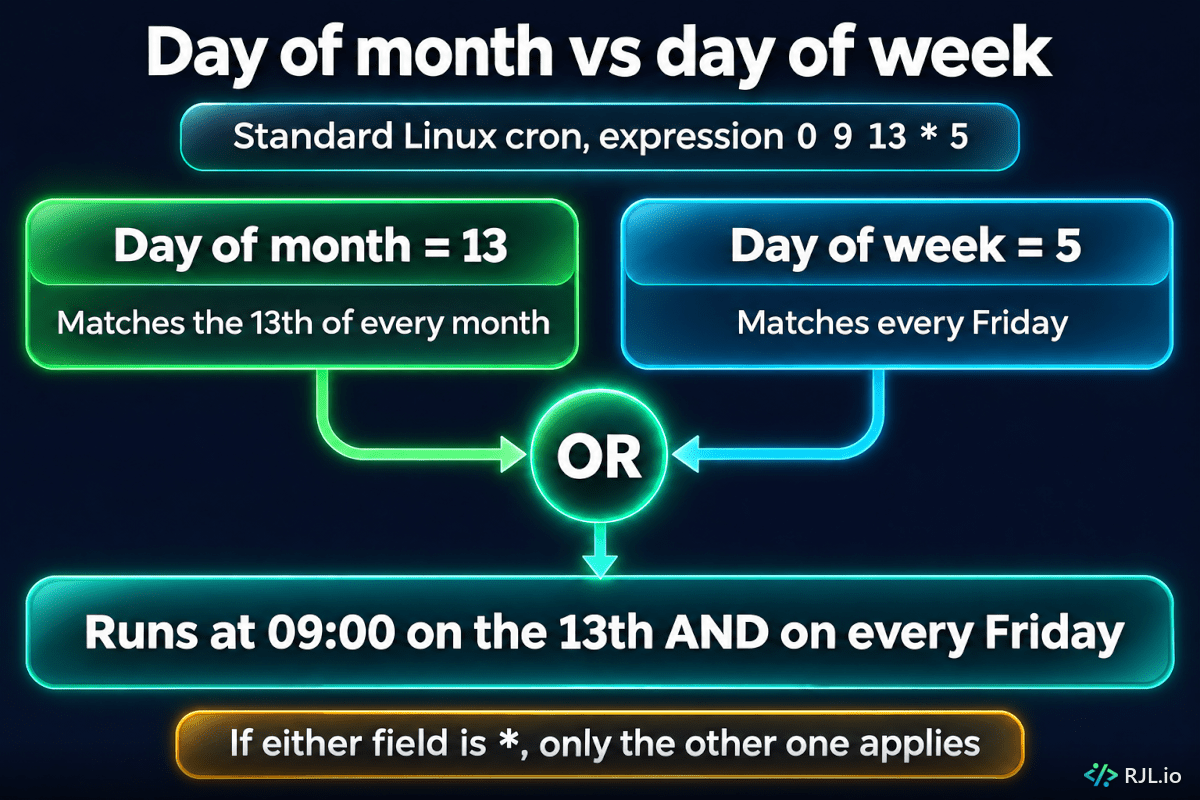
Minute, hour and month are combined with AND. The two day fields are the exception. In standard Linux (Vixie) cron, if you set both day of month and day of week to something other than *, the job runs when either matches.
So 0 9 13 * 5 does not mean "Friday the 13th". It means the 13th of every month and every Friday. If one of the two fields is *, only the other one applies.
AWS EventBridge and Quartz avoid the ambiguity: you must put ? in exactly one of the two day fields, so only one of them is ever used. To get "the last Friday" or "the third Friday" on those platforms, use L or # in the day-of-week field.
Need a real "first Monday of the month" on plain Linux cron? Schedule it for every Monday and test the date inside the script, for example that the day of month is 7 or less.
Linux, AWS EventBridge, GitHub Actions and Quartz compared
The generator above has a tab for each of these. The same schedule is written differently on each one, and switching tabs converts the expression for you.
| Feature | Linux | AWS EventBridge | GitHub Actions | Quartz / Spring |
|---|---|---|---|---|
| Fields | 5 | 6 (adds year) | 5 | 6 or 7 (adds seconds, optional year) |
| Order | min hr dom mon dow | min hr dom mon dow yr | min hr dom mon dow | sec min hr dom mon dow [yr] |
| Day of week numbers | 0-6, Sunday = 0 | 1-7, Sunday = 1 | 0-6, Sunday = 0 | 1-7, Sunday = 1 |
? required | No | Yes | No | Yes |
L, W, # | No | Yes | No | Yes |
| Time zone | The server's zone | UTC | UTC only | Configurable |
| Shortest interval | 1 minute | 1 minute | 5 minutes | 1 second |
| Weekdays at 09:00 | 0 9 * * 1-5 | 0 9 ? * 2-6 * | 0 9 * * 1-5 | 0 0 9 ? * 2-6 |
Writing a GitHub Actions workflow? Check the whole file with the GitHub Actions Validator. To see when a run actually happens in your own time zone, convert the timestamp with the Timestamp Converter.
Common schedules (Linux syntax)
| Expression | Runs |
|---|---|
*/5 * * * * | Every 5 minutes |
*/15 * * * * | Every 15 minutes |
0 * * * * | At the top of every hour |
0 */6 * * * | Every 6 hours (00:00, 06:00, 12:00, 18:00) |
0 0 * * * | Every day at midnight |
30 2 * * * | Every day at 02:30 |
0 8,20 * * * | Twice a day, at 08:00 and 20:00 |
0 9 * * 1-5 | Weekdays at 09:00 |
0 8 * * 1 | Every Monday at 08:00 |
0 10 * * 6,0 | Saturdays and Sundays at 10:00 |
0 0 1 * * | The first day of every month at midnight |
0 0 1 1,4,7,10 * | Quarterly, on the 1st of January, April, July and October |
The cheat sheet above lists 20 schedules. Paste any of them into the generator to see the plain-English description and the next run times.
Common cron mistakes and how to fix them
| Mistake | What happens | Fix |
|---|---|---|
* 9 * * * meaning "at 9" | Runs every minute from 09:00 to 09:59 (60 times) | Set the minute: 0 9 * * * |
*/45 * * * * meaning "every 45 minutes" | Steps restart every hour, so it runs at :00 and :45 only | Use a divisor of 60, or schedule from the script |
0 9 13 * 5 meaning "Friday the 13th" | Runs on every 13th and on every Friday | Run on Fridays and test the date in the script |
0 0 31 * * | Skips months that have fewer than 31 days | On AWS or Quartz use L; on Linux run on days 28-31 and test for the last day |
Sunday written as 0 on AWS | Rejected: AWS and Quartz number days 1-7 | Use 1 or SUN |
No ? on AWS or Quartz | Rejected: one of the two day fields must be ? | Put ? in day of month or day of week |
A % in a crontab command | Treated as a newline, so the command is cut short | Escape it as \%, for example in date +\%F |
| Assuming your local time zone | GitHub Actions and AWS EventBridge rules use UTC | Convert your local time to UTC before writing the expression |
| Scheduling inside a daylight saving change | A job set between 02:00 and 03:00 local time can be skipped or run twice, depending on the cron implementation | Schedule in UTC, or avoid that hour |
Frequently Asked Questions
Why We Built This Cron Generator
Cron expressions are powerful but cryptic. A simple typo can mean the difference between running a backup daily at 2 AM versus every minute of every day. We built this visual cron generator to eliminate guesswork and prevent costly scheduling mistakes. Whether you're a DevOps engineer setting up automated deployments or a developer configuring background jobs, building schedules visually is faster and safer than memorizing syntax.
Unlike online tools that send your cron expressions to external servers, our generator processes everything locally using JavaScript. This means your automation schedules never leave your computer. The tool works completely offline once loaded, making it safe for enterprise environments and air-gapped systems. Preview execution times in your timezone, generate human-readable descriptions, and validate expressions instantly - all without network access.
The Cron Expression Generator is part of RJL.io's collection of free developer tools - each designed to do one thing exceptionally well, with no accounts, no tracking, and no data collection. Check out our other tools: UUID Generator, QR Code Generator, Base64 Encoder, and more. Every tool is 100% client-side, works offline, and respects your privacy.